Real screens, real accounting
Everything below is the actual Proledge software — the same screens you get in the free trial.
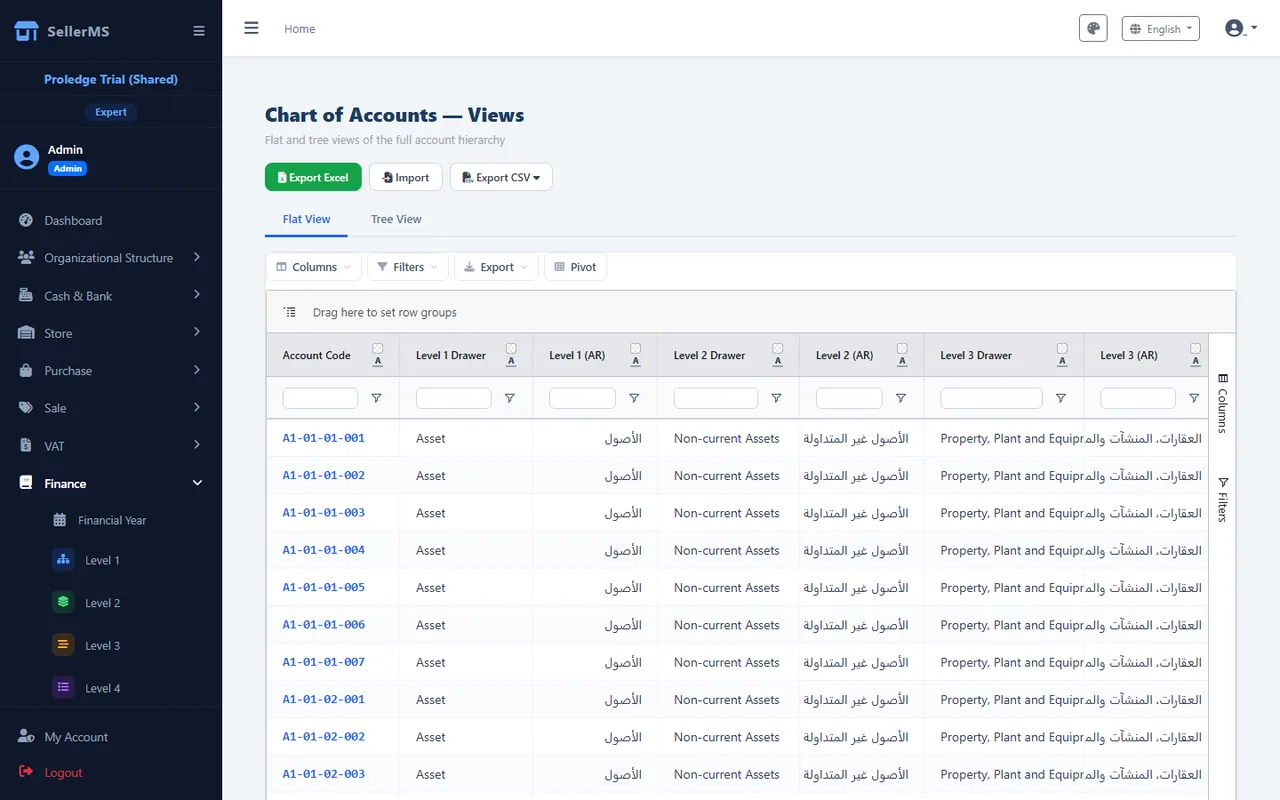
A chart of accounts that fits your business
Five levels, from Assets / Liabilities / Equity / Revenue / Costs down to the posting account, each with its English and Arabic name. Map once which account each document posts to (Auto Code Selection), and every Goods Receipt, Invoice, Payment and Payroll posts there on its own.
- Five-level chart of accounts, flat and tree views
- Control accounts per customer, supplier and employee
- Journal and general entries, opening balances, financial years
- Import and export the whole chart from Excel
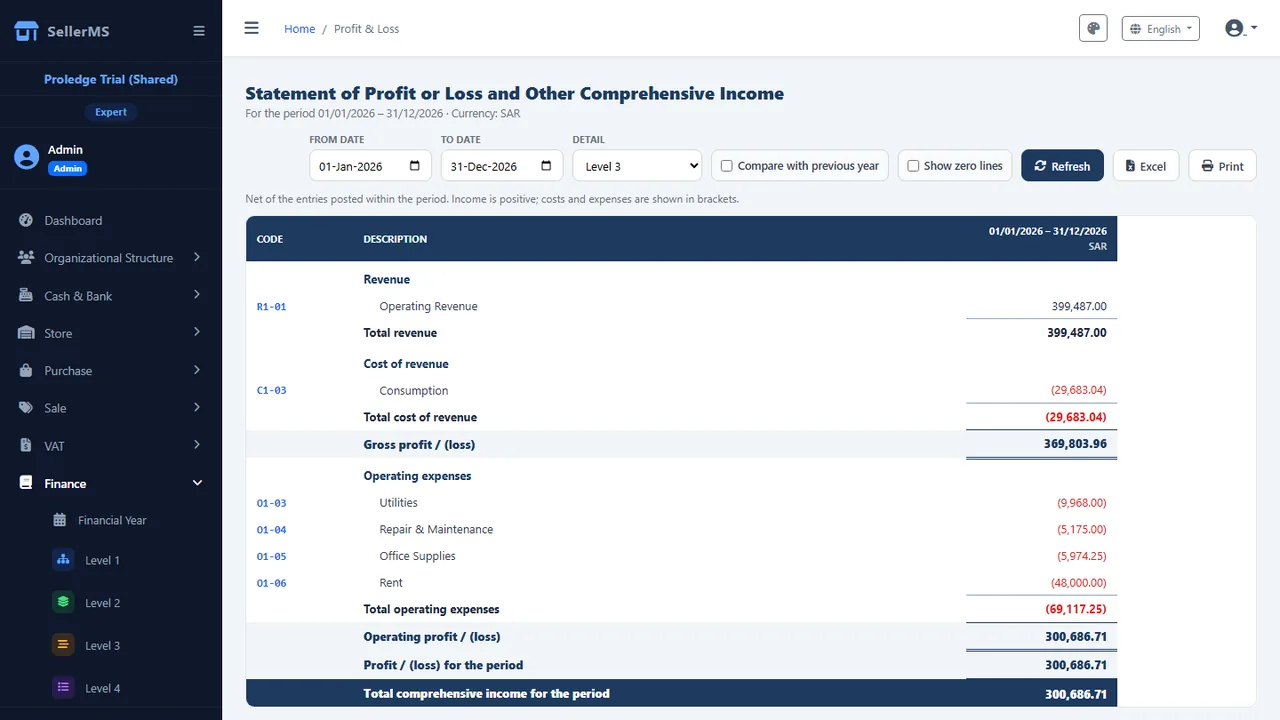
Trial balance, balance sheet and profit & loss — straight from the ledger
Pick a period and a level of detail. Compare with the previous year, hide zero lines, and export to Excel or print.
- Trial balance with opening, movement and closing balances
- Balance sheet as at any date
- Profit & loss by period, with previous-year comparison
From quotation to ZATCA-ready invoice
Sales request → quotation → sales order → delivery note → invoice → return request → return note → credit memo. Each step is filled from the one before it, and you post when you're ready.
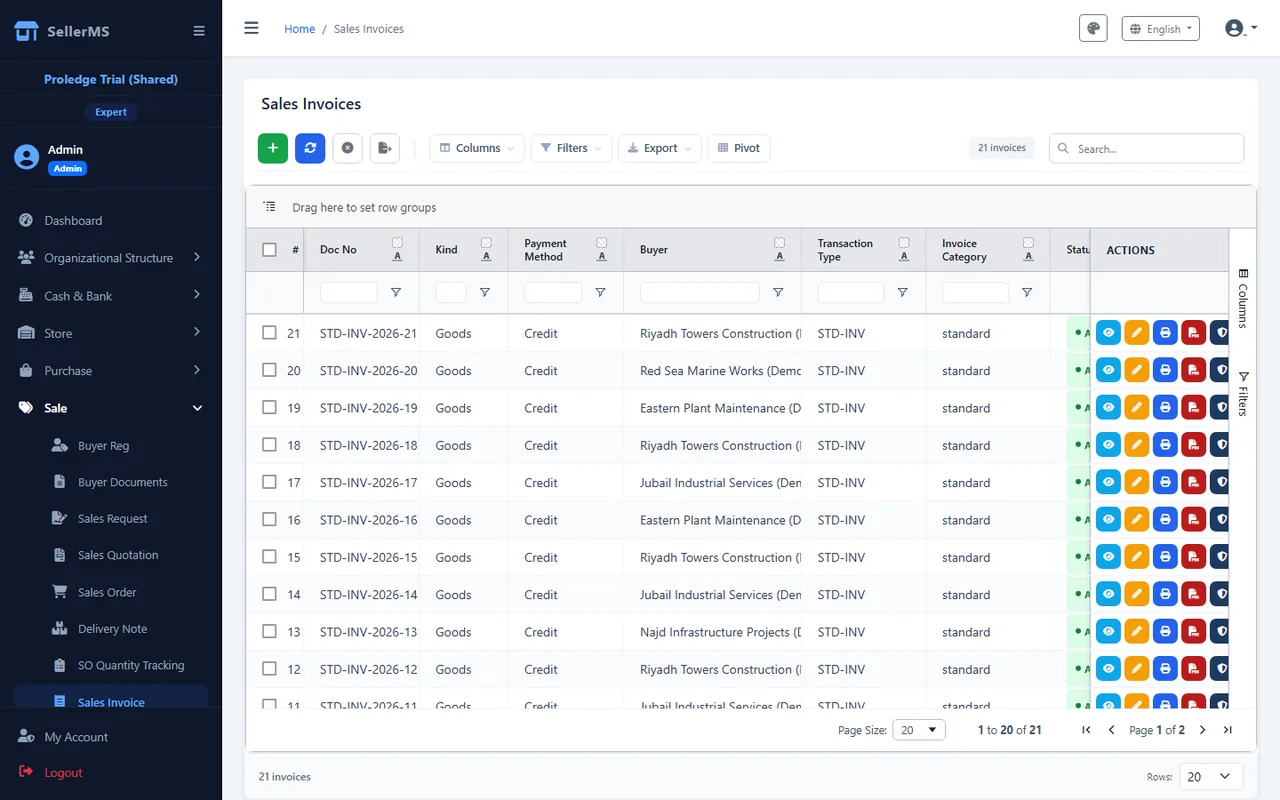
Every document list: filters on each column, grouping, pivot and Excel export.
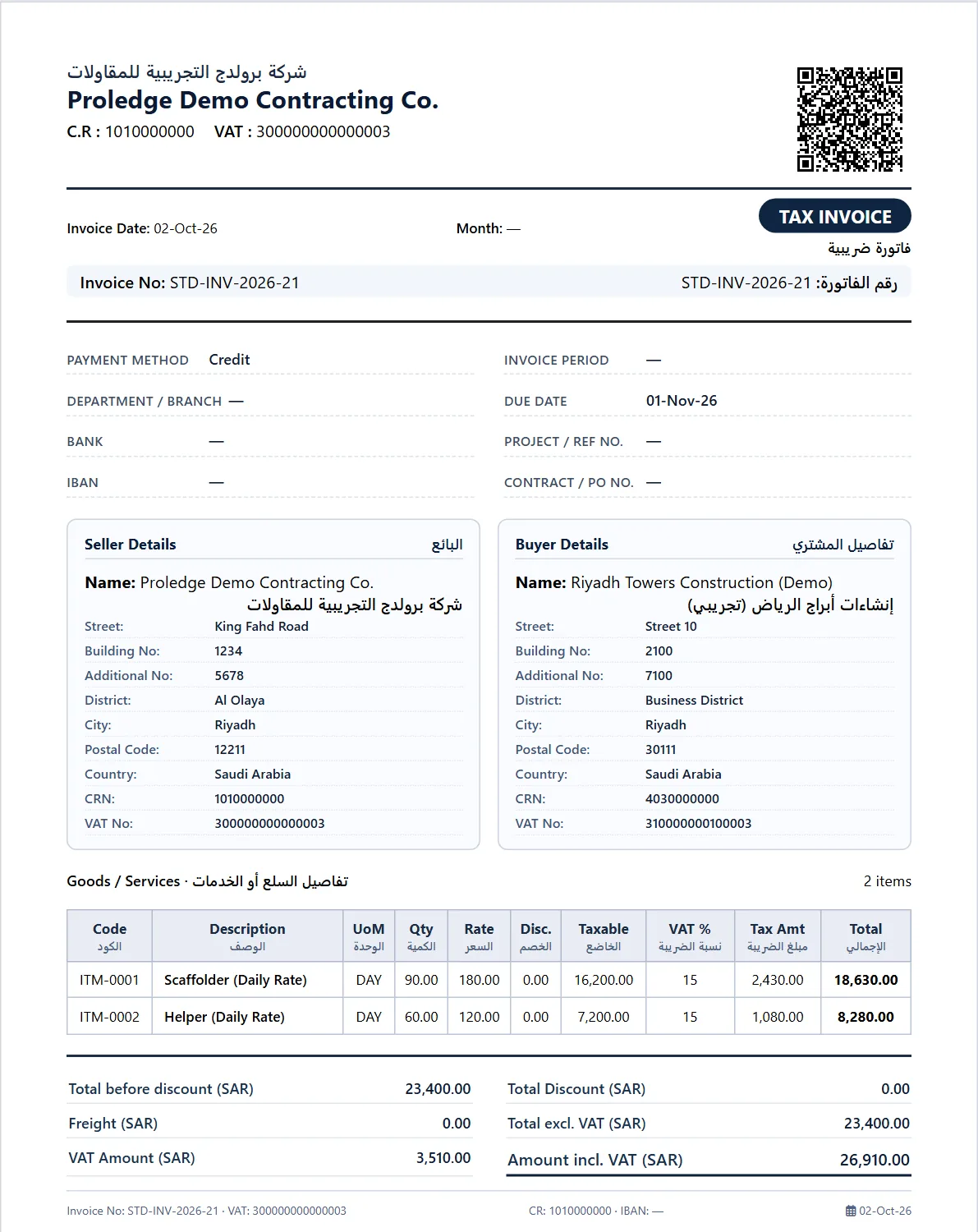
The printed tax invoice — Arabic and English, VAT per line and the ZATCA QR code.
Standard & simplified
Tax invoices for businesses and consumers, plus debit and credit notes, numbered per type.
ZATCA Phase 2
QR code, XML and invoice hash chain, with the VAT exemption reason (VATEX) kept on each 0% line.
Order tracking
See per sales-order line what has been delivered and what is still open.
Buy, receive and keep track of every item
Purchase cycle
Purchase request, quotation, order, goods receipt note, invoice, goods return request, return note and debit memo.
PO quantity tracking
A goods receipt can never receive more than the order still has open.
Supplier accounts
Each supplier with its own payable and advance accounts, documents and a running account statement.
Three stores
Consumable, non-consumable and fixed-asset stores, with warehouses and their locations.
Stock movements
Receipts and deliveries move stock when posted; goods issue / receipt and transfers do the rest.
Stock inquiry & reports
On hand, value, low and out-of-stock items per warehouse, and every movement behind them.
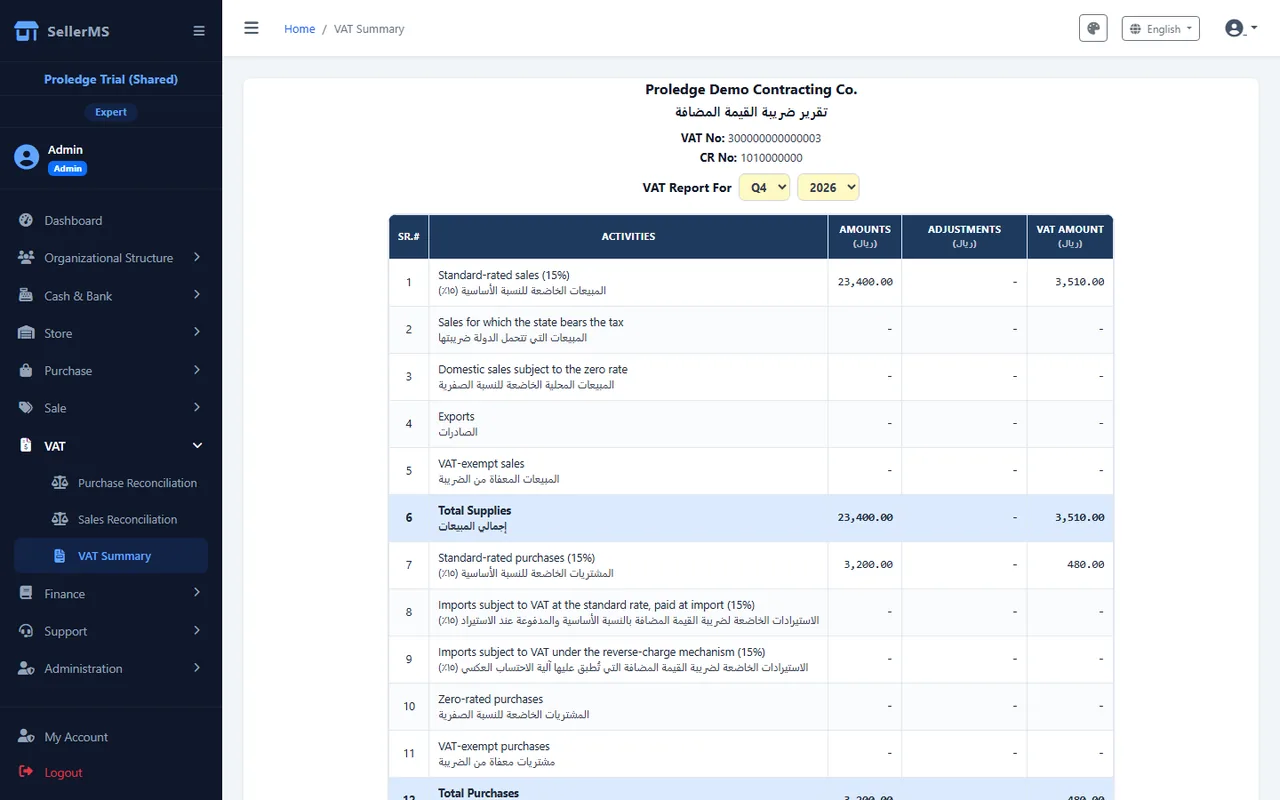
The VAT return, already added up
The VAT summary follows the VAT return layout line by line — standard-rated, zero-rated, exempt and imports — for any quarter, with reconciliation screens for purchases and sales behind it.
- Purchase and sales tax codes you define
- Purchase and sales VAT reconciliation
- VAT summary per quarter in the return's layout
Every riyal in and out, matched to its document
Outgoing payments
Pay suppliers' invoices, give advances, pay payroll, employee loans and Iqama renewals, or post straight to any account.
Incoming payments
Receive against open sales invoices or as an advance from the customer — each kept on its own account.
Accounts & methods
Bank and cash accounts with live balances, and the payment methods you use.
Payroll that knows your staff categories
Employee master
Personal, Iqama and passport details, professions, bank accounts and documents with expiry dates.
Monthly payroll
Generate, edit, approve and post — salaries and accruals go to the ledger per staff category.
Loans & advances
Approved, paid from Cash & Bank and deducted through payroll until settled.
Iqama renewal
Find expiring Iqamas, batch them with Labor Office and Jawazat fees, approve, pay and post.
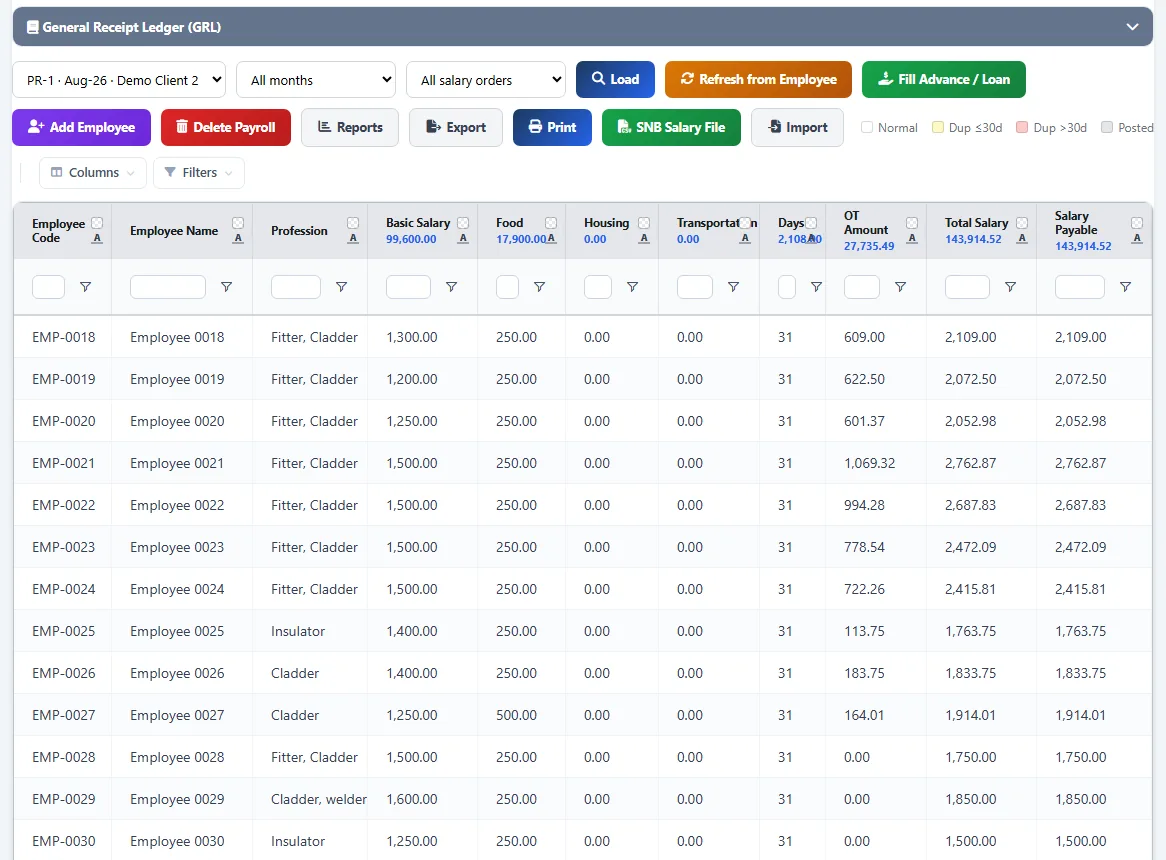
Payroll — every component per employee, with column totals, Excel export and the bank salary file.
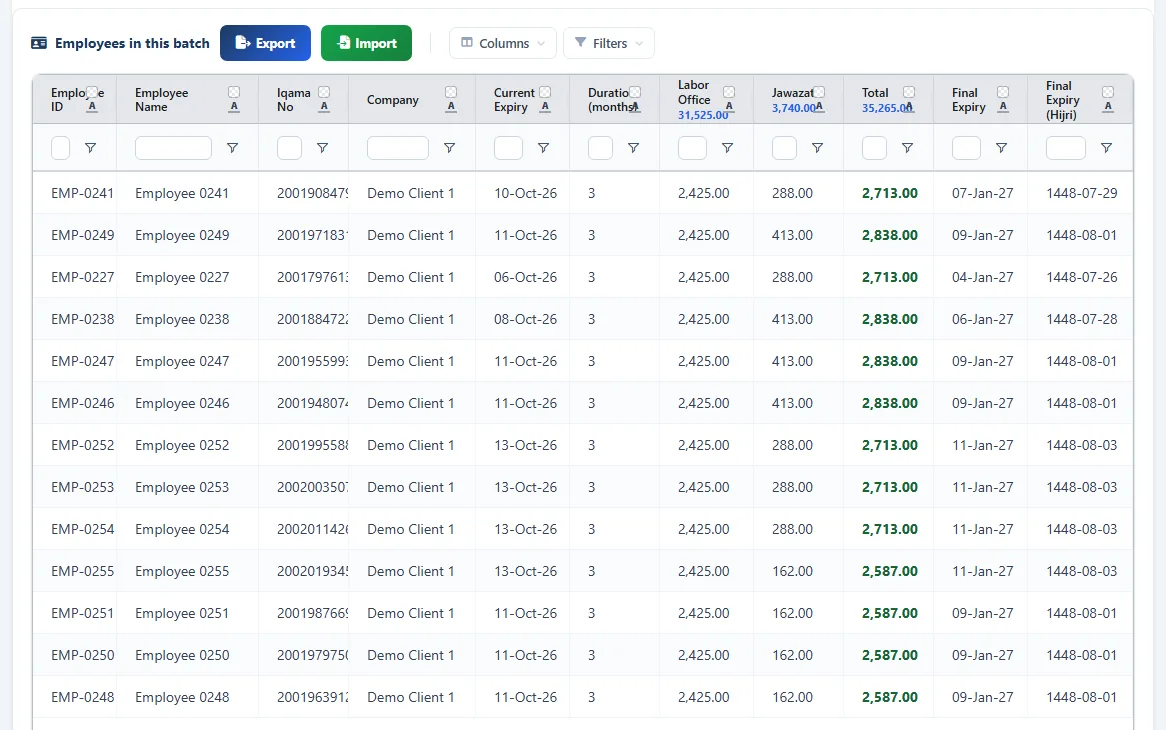
Iqama renewal — one batch, its fees and every employee's new expiry date.
The small things that save hours
Powerful lists
Search, filter on any column, group, pivot, choose columns and export — on every list.
Excel import & export
Bring in your chart of accounts, items, buyers, suppliers and employees from Excel templates.
Attachments
Keep the source documents on the record they belong to.
English & Arabic
Switch the whole system between English and right-to-left Arabic at any time.
Audit log & recycle bin
See who changed what, and restore a deleted record within 7 days.
Support built in
Raise a support ticket or chat with us from inside the system.